1 Purpose and Functions
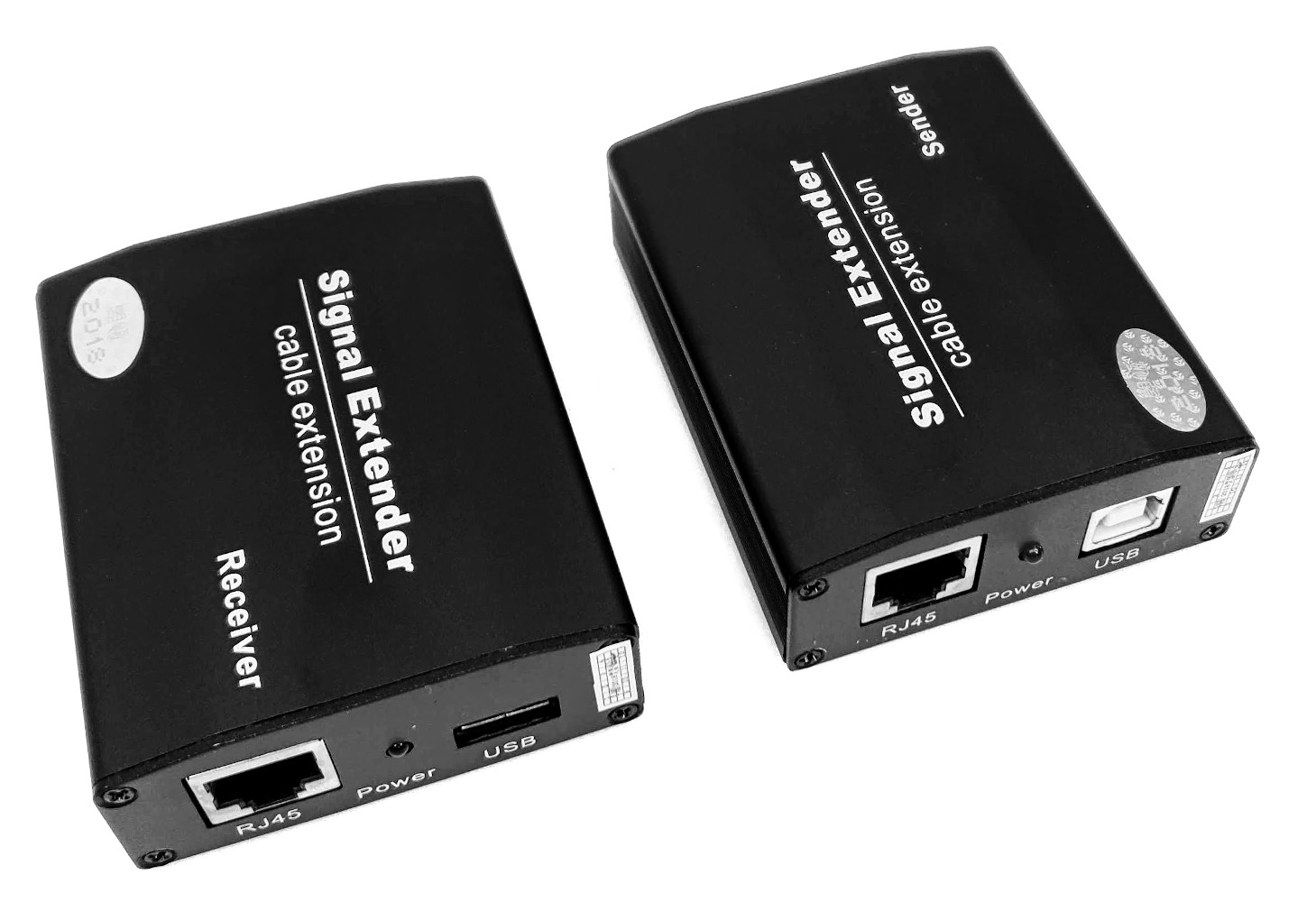
The USB Extender ACTii AC1214 is a high-class transmission kit that allows for extending the USB interface up to a distance of 100 meters using a standard network cable (UTP/FTP). The device solves the problem of standard USB cable length limitations, allowing for the flexible placement of peripheral devices at a large distance from the central unit.
The set supports data and video signal transmission, making it an ideal solution for operating monitoring cameras, printers, scanners, barcode readers, and other pointing devices. Thanks to its solid aluminium housing, the extender is resistant to mechanical damage and dissipates heat perfectly, which ensures stable operation in continuous mode.
Main Features:
- ✔ Data and video signal transmission up to 100m
- ✔ Solid construction in a durable aluminium housing
- ✔ Visual operating status indication via LED diodes
- ✔ Full compatibility with USB 1.1 and USB 2.0 standards
- ✔ Plug & Play system – no additional drivers required
- ✔ Powered directly from the USB port (no need for an external power adapter in most applications)
Operating Principle:
The device consists of two modules: a Transmitter connected to the computer and a Receiver to which the target device is connected. The signal is transmitted via an RJ45 network cable, which allows the use of the building's existing structural infrastructure.
2 Technical Specification
| Maximum transmission distance | 100 m |
| Accepted cable type | UTP/FTP: CAT5, CAT5e, CAT6, CAT6e, CAT7 |
| USB Standard | USB 1.1, USB 2.0 |
| Transmitter Connectors | 1x RJ45 socket, 1x USB Type B |
| Receiver Connectors | 1x RJ45 socket, 1x USB Type A |
| Operating Temperature | -25°C to +75°C |
| Operating Humidity | 0 – 95% |
| Power Supply | 5V DC (powered via USB port) |
| Housing material | Aluminium |
| Product weight | 50 g |
| Certificates | CE, RoHS |
3 Installation and Connection
To ensure the correct operation of the device, please follow the procedure below:
- Connect the Transmitter to a free USB port on the computer or recorder using a USB cable (type A-B).
- Connect the Receiver to the target device (e.g., camera, mouse, keyboard) using a standard USB cable.
- Connect both modules using an RJ45 network cable (twisted pair) of an appropriate length (maximum 100m). It is recommended to use cables of category at least CAT5e.
- Check the status LED indicators on the device housings. Proper connection will be indicated by the status LEDs lighting up.
- The operating system will automatically detect the connected peripheral device.
4 Safety Instructions
- ● The device is intended for indoor use only.
- ● Protect against moisture, spills, and extreme temperatures outside the operating range (-25°C to +75°C).
- ● Do not open the housing or attempt to make repairs yourself – this may void the warranty and cause damage to the equipment.
- ● Before connecting, ensure that the RJ45 cables are correctly terminated to the T568B or T568A standard.
- ● Do not use damaged connection cables, as this may lead to a short circuit in the computer's USB port.
5 Package Contents
- 1x Transmitter
- 1x Receiver
- User manual
- Original packaging