1 Purpose and Functions
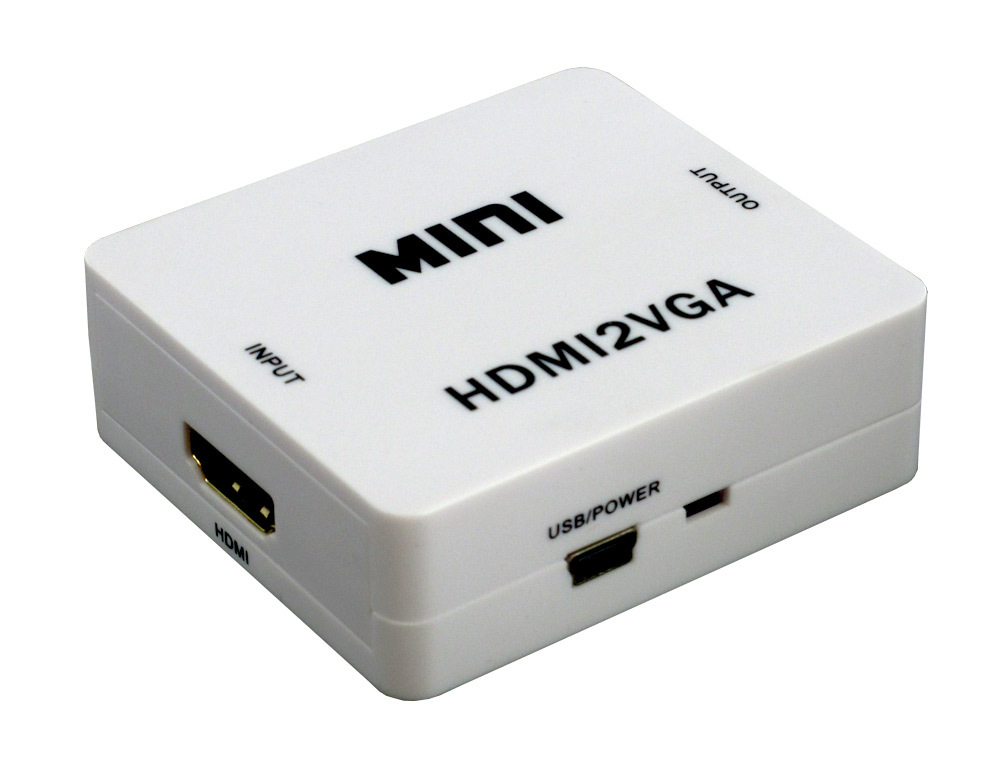
The ACTii AC5648 Mini Converter is a high-quality digital-to-analog device that allows the conversion of an HDMI video signal into a VGA signal while simultaneously extracting a stereo audio signal. The product is designed for users who need to connect modern source devices (such as laptops, game consoles, multimedia players, set-top boxes, or DVRs) to older generation receivers that do not have digital inputs and only support VGA ports (CRT/LCD monitors, projectors, older televisions).
Main Features:
- ✔ Supports high Full HD 1080p (1920x1080) resolution for both image and stereo sound
- ✔ Compliant with HDCP 1.4 protocol and HDMI 1.2a/1.3 standards
- ✔ Simple Plug and Play installation - no extra drivers or complex configuration required
- ✔ Powerable directly via USB port (PC, TV) or external power supply
- ✔ Extremely compact size and lightweight, durable housing made of high-quality ABS material
Important Operating Information:
The device operates unidirectionally. It converts an HDMI source signal to a VGA receiver. It is not possible to connect a computer with a VGA output to a monitor with an HDMI input using this adapter.
2 Technical Specification
| Input | 1x HDMI |
| Outputs | 1x VGA, 1x Stereo AUDIO (L/R 3.5mm Jack) |
| Supported VGA resolutions | 1024x768 60/70/75/85Hz, 1152x864 75Hz, 1280x720 60Hz, 1280x768 60Hz, 1280x800 60Hz, 1280x960 60Hz, 1280x1024 60Hz, 1360x768 60Hz, 1440x1050 60Hz, 1440x900 60Hz, 1680x1050 60Hz, 1600x1200 60Hz, 1920x1080 60Hz |
| Supported HDMI resolutions | Max 1080p (1920x1080) |
| HDMI Version | 1.2a / 1.3 |
| Video signal input | 0.5 to 1.5Vp-p 1080p (60Hz) |
| Audio output | R / L stereo |
| Power supply | 5V DC; 500mA (Mini USB Input) |
| Housing material | ABS |
| Color | White |
| Product dimensions | 55 x 60 x 20 mm |
| Weight | 70 g |
| Certificates | CE, RoHS |
3 Installation and Operation Manual
To ensure proper device operation, please follow these steps:
- Source Connection: Connect the HDMI cable from your source device (e.g., laptop, set-top box) to the port labeled HDMI INPUT on the converter.
- Receiver Connection: Connect the VGA cable from your monitor or projector to the VGA OUTPUT port.
- Audio Connection: If you need to transmit audio, connect a 3.5mm Jack audio cable to the AUDIO port on the converter, and the other end to speakers, an amplifier, or the audio input on your monitor.
- Power Supply: Connect the included Mini USB cable to the converter and the other end (USB-A) to an available USB port on your computer, TV, or to a 5V power adapter. Power is required for stable signal conversion, especially at high resolutions.
- Startup: Turn on both the source device and the receiver. The image should appear automatically thanks to the Plug and Play feature.
4 Safety Rules
Warnings:
- Device intended for indoor use only.
- Protect from direct contact with water, moisture, and spills.
- Do not open the housing or attempt independent repairs.
- Do not expose the device to extreme temperatures.
Proper Use:
- Use only the power cable supplied in the set or one with identical parameters (5V DC).
- Disconnect power when the device is not in use for an extended period.
- Clean only with a dry cloth after disconnecting from power sources.
5 Package Contents
- 1x HDMI to VGA Converter (ACTii AC5648)
- 1x USB - Mini USB power cable