1 Purpose and Functions
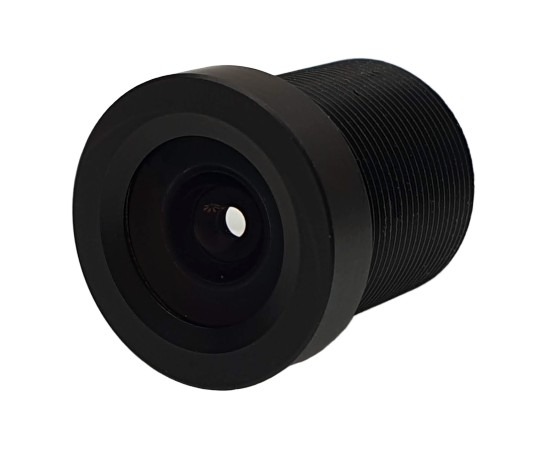
The ACTii AC3620 lens is a top-quality optical component designed for industrial CCTV cameras, both in megapixel technology (up to 1MP) and analog technology. The product is manufactured from high-grade glass and metal components, ensuring excellent image parameters and high mechanical durability. A special optical design allows the lens to correctly focus not only in the center but also in the corners of the image, which is a key advantage over standard lenses not intended for high-resolution systems.
Main features:
- ✔ Top-quality 3.6mm 1MP glass lens designed for megapixel and analog CCTV cameras.
- ✔ M12x0.5 (S-MOUNT) standard mount dedicated to board cameras.
- ✔ Glass optics ensuring high light transmittance and image clarity.
- ✔ Metal housing protecting the optical system from damage and stabilizing operating parameters.
- ✔ Full compatibility with 1/3" sensors and 1MP HD cameras.
- ✔ Can be used in low-resolution analog cameras to improve image quality.
Important information regarding color reproduction:
When operating the lens in strong sunlight conditions, to achieve correct color reproduction, it is recommended to install an additional IR 650 filter. The filter should be glued to the back of the lens. The appropriate filter model is ACTii AC6508.
2 Technical Specification
| Model | ACTii AC3620 |
| Lens focal length | Fixed, 3.6mm, 1/3" format |
| Viewing angle | 78° (for 1/3" sensor) |
| Aperture | F2.0 |
| Lens type | Megapixel up to 1MP and analog |
| Mount | M12x0.5 (S-MOUNT), 11.9mm thread |
| Material | Housing: Metal; Optics: Glass |
| Product dimensions | 14 x 14 x 17 mm |
| Weight | Product: 5g; With packaging: 3g |
| Certificates | CE, RoHS |
3 Installation and Mounting
Installation procedure:
- Ensure the camera is disconnected from power before replacing the lens.
- Remove the protective cap or old lens from the M12 socket on the camera board.
- Carefully screw the ACTii AC3620 lens into the threaded socket (M12x0.5).
- Connect the camera to a monitor/recorder to get a live view.
- Adjust the focus by slowly screwing the lens in or out of the socket until a perfectly sharp image is obtained.
- If the lens socket has a locking screw, tighten it gently after setting the focus to prevent the device from losing calibration.
4 Safety and Maintenance
Safe usage rules:
- Optics cleaning: Use only soft microfiber cloths or specialized optical cleaning products to clean the glass lenses. Do not use abrasive materials that can scratch the glass surface.
- Protection against contamination: Avoid touching the lens surfaces with your fingers. Grease and sweat can permanently damage anti-reflective coatings (if present).
- Operating environment: The lens is intended for use inside camera housings. It should be protected from direct water, moisture, and dust, unless the camera housing provides an adequate IP protection class.
- Compliance: The product meets European CE standards and the RoHS directive, which means restricted use of hazardous substances in electronic equipment.