1Purpose and Functions
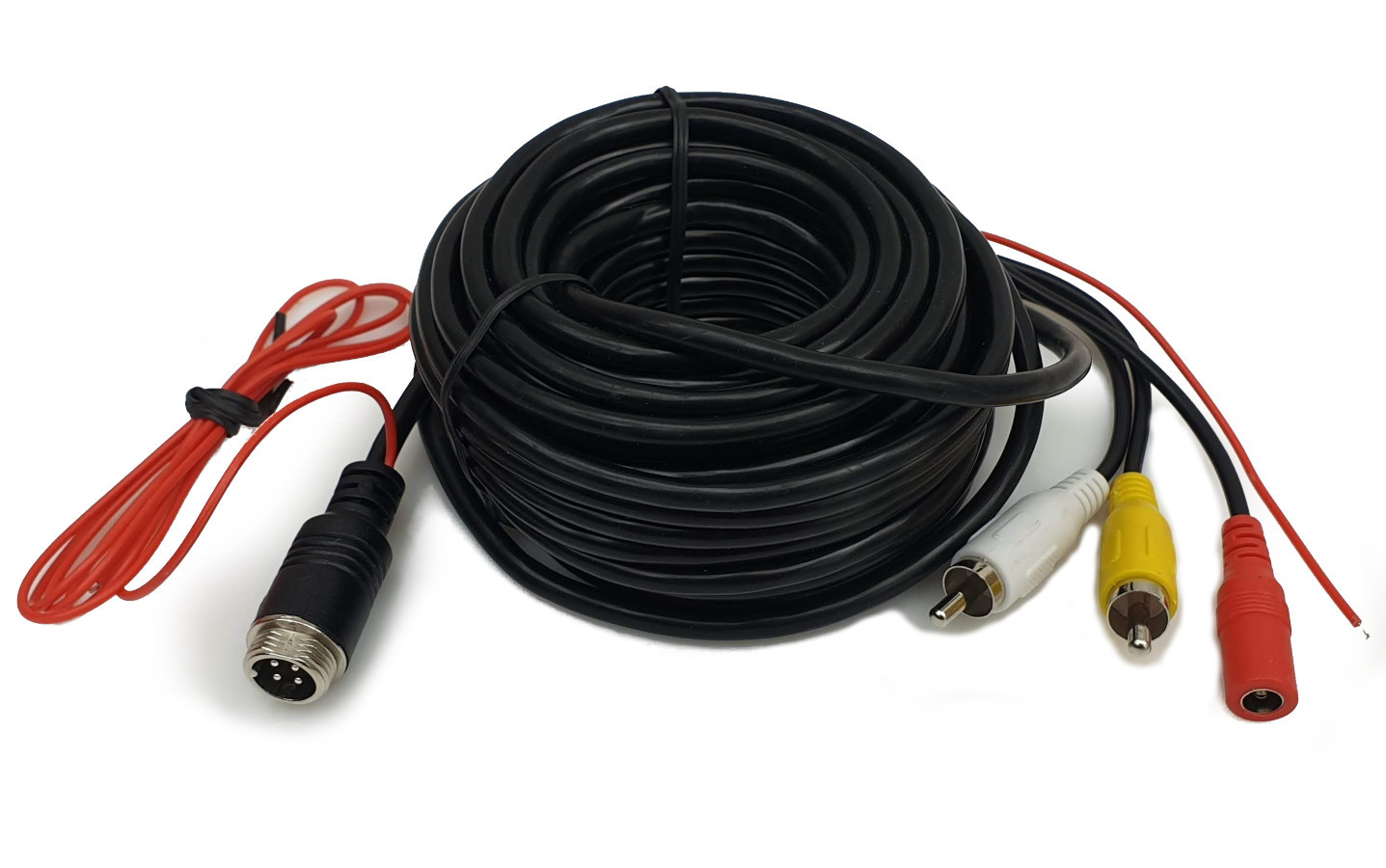
A professional 15-meter connecting cable designed specifically for reversing camera and CCTV monitoring systems in vehicles. The cable is fully compatible with modern high-definition digital signal standards (AHD, CVI, TVI) as well as traditional analog CVBS signals. Due to its robust construction and double shielding, it is ideal for installation in demanding environments such as passenger cars, buses, trucks, and agricultural machinery.
A key feature of the cable is the integrated signal wire (switching pulse), which enables automatic activation of the monitor when shifting into reverse gear. The cable is weather-resistant, allowing it to be routed both inside the cabin and outside the vehicle (e.g., under the chassis).
Key features:
- ✔ Full compatibility with digital AHD, CVI, TVI and analog CVBS signals
- ✔ Double cable shielding to eliminate interference and ensure high image quality
- ✔ Transmission of video, audio, power, and control pulse in one cable
- ✔ Robust, screw-on 4-pin Aviation connector ensuring a tight and durable connection
- ✔ Resistance to weather conditions and mechanical damage
- ✔ Factory-terminated ends facilitating immediate Plug & Play installation
Automatic activation function:
The cable has an additional wire (usually red near the RCA connectors) used to transmit a positive pulse from the reversing light. After connecting it to the appropriate input on the monitor (Trigger), the screen will automatically switch to the view from the reversing camera when the reverse gear is engaged.
2Technical Specification
| Cable length | 15 meters |
| Connector Side 1 (Camera) | 4-pin Aviation (female, screw-type) + pulse input |
| Connector Side 2 (Monitor) | VIDEO RCA Cinch (plug), AUDIO RCA Cinch (plug), DC power 2.1/5.5mm (socket) |
| Control signal | Switching pulse output (Trigger) |
| Cable construction | Double shielded, copper |
| Cable diameter | 4.5 mm |
| Supported standards | AHD, CVI, TVI, CVBS (analog) |
| Color | Black |
| Product weight | 390 g |
3Connection Instructions
Step 1: Connection to the camera (4-pin Aviation connector)
Connect the 4-pin screw connector to the socket on the reversing camera. Ensure that the notches in the connectors match, then tighten the metal ring firmly to ensure a tight and stable connection. If the camera has a separate trigger wire, connect it to the loose signal wire at the Aviation connector.
Step 2: Connection to the monitor and power
At the other end of the cable (the side with multiple plugs):
- VIDEO RCA plug (yellow): Connect to the video input (Video In) on the monitor or car radio.
- AUDIO RCA plug (white/red): Connect to the audio input if the camera has a built-in microphone.
- DC socket (black): Connect a 12V/24V power adapter or power lead from the vehicle's electrical system.
- Trigger wire (red, loose): Connect to the monitor control wire (usually labeled BACK, REVERSE, or CAM-LINE).
4Safety and Installation Rules
General rules:
- Before starting installation, disconnect the negative battery terminal to avoid short circuits in the vehicle's electrical system.
- Avoid routing the cable in the immediate vicinity of high-heat elements (exhaust system) or moving mechanical parts.
- When pulling the cable through holes in the bodywork, protect the edges with rubber grommets to prevent abrasion of the insulation.
- Do not bend the cable at a sharp angle – the minimum bending radius should be 5 times the cable diameter.
Compliance and environment:
The product complies with EU safety standards and has a CE declaration. At the end of its life, do not dispose of the product with household waste. It should be taken to a collection point for waste electrical and electronic equipment.
5Troubleshooting
| Problem | Possible cause and solution |
|---|---|
| No image on monitor | Check that the RCA plug and DC power are plugged in correctly. Ensure the Aviation connector is tightened all the way. |
| Image is noisy | Check if the cable runs too close to high-voltage lines or the alternator. Ensure the power ground is stable. |
| Monitor does not turn on automatically | Check the connection of the red "Trigger" wire to the reversing light and the monitor control input. |
| No sound | Ensure the camera has a microphone and the Audio RCA plug is connected to the correct input. |